aidesign is a small tool I built for myself. I love designing with Claude, but I kept running out of tokens, and what came back was React components I had to disentangle. I wanted plain HTML mockups that open in a browser, generated locally, with good imagery, shaped by talking instead of clicking.
Why I built it
I had four requirements, and none of the existing tools met all of them. It had to run on Claude Code under the hood, through the Claude CLI I already have installed, on my own account, so there’s no second bill and no relay in the middle. It had to emit plain HTML, CSS, and JS that works when you double-click the file, with no React to untangle and no build step. It needed good image generation for free, because a mockup with real imagery reads differently from one full of grey placeholder boxes. And it had to let me draw on a design with a marker, or drop in an image, and chat about that change, so I could point at a spot and say “this bit, warmer.”
It’s local-only, single-user, and open source. Nothing leaves the machine except the Claude CLI’s ordinary API calls and any fonts a design pulls from a CDN.
What it is
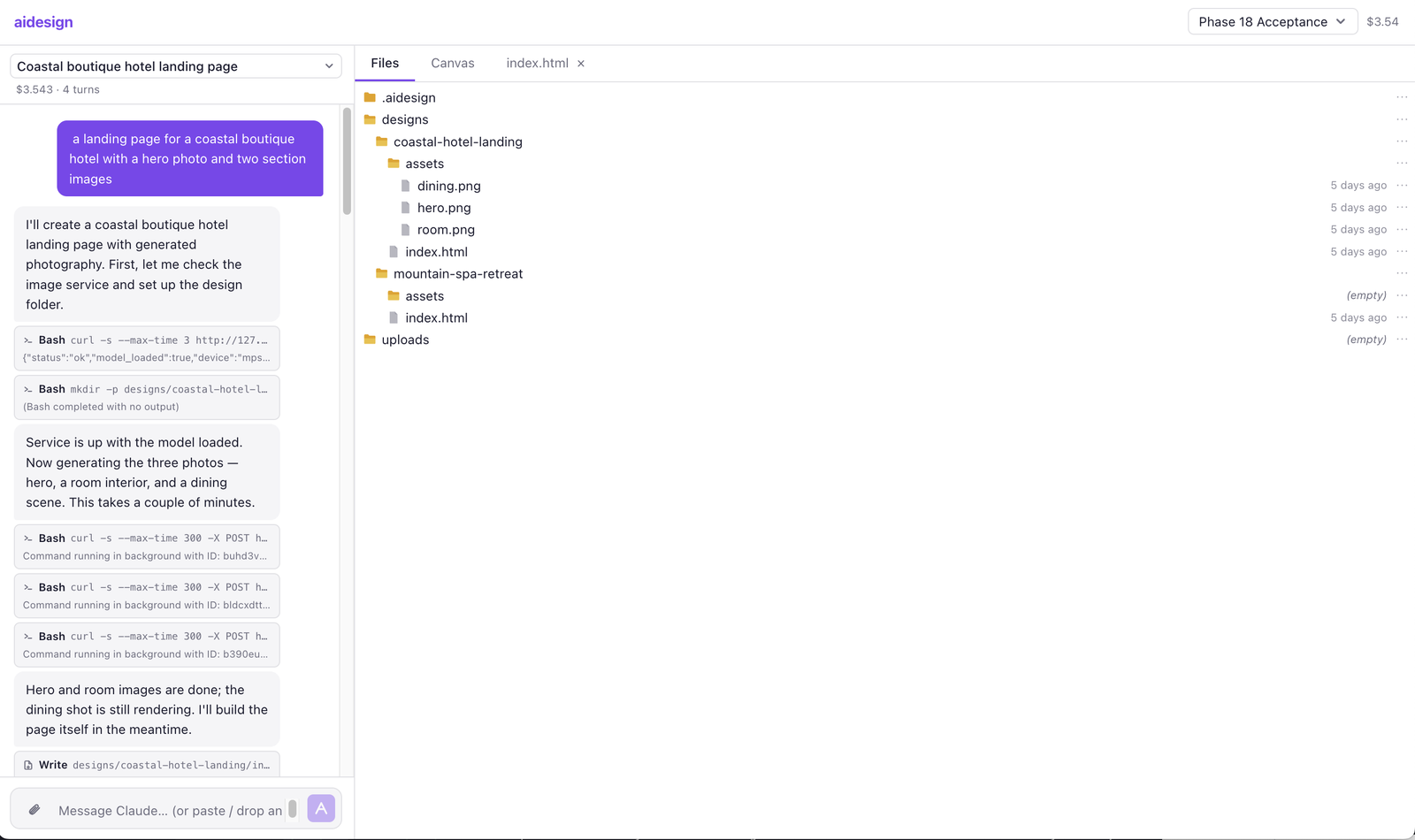
You open aidesign in a browser tab and get one workspace with four surfaces, all sharing a single open project. The chat sits on the left, always visible, where you talk to Claude. The right side is a VS Code-style tabbed area holding a read-only file browser (the project’s folder tree, syntax-highlighted) and a project canvas (a grid of live thumbnails of every design). Each design also opens as a real browser tab that reloads the moment Claude saves a change, so you can line up several side by side and let your window manager do the tiling.
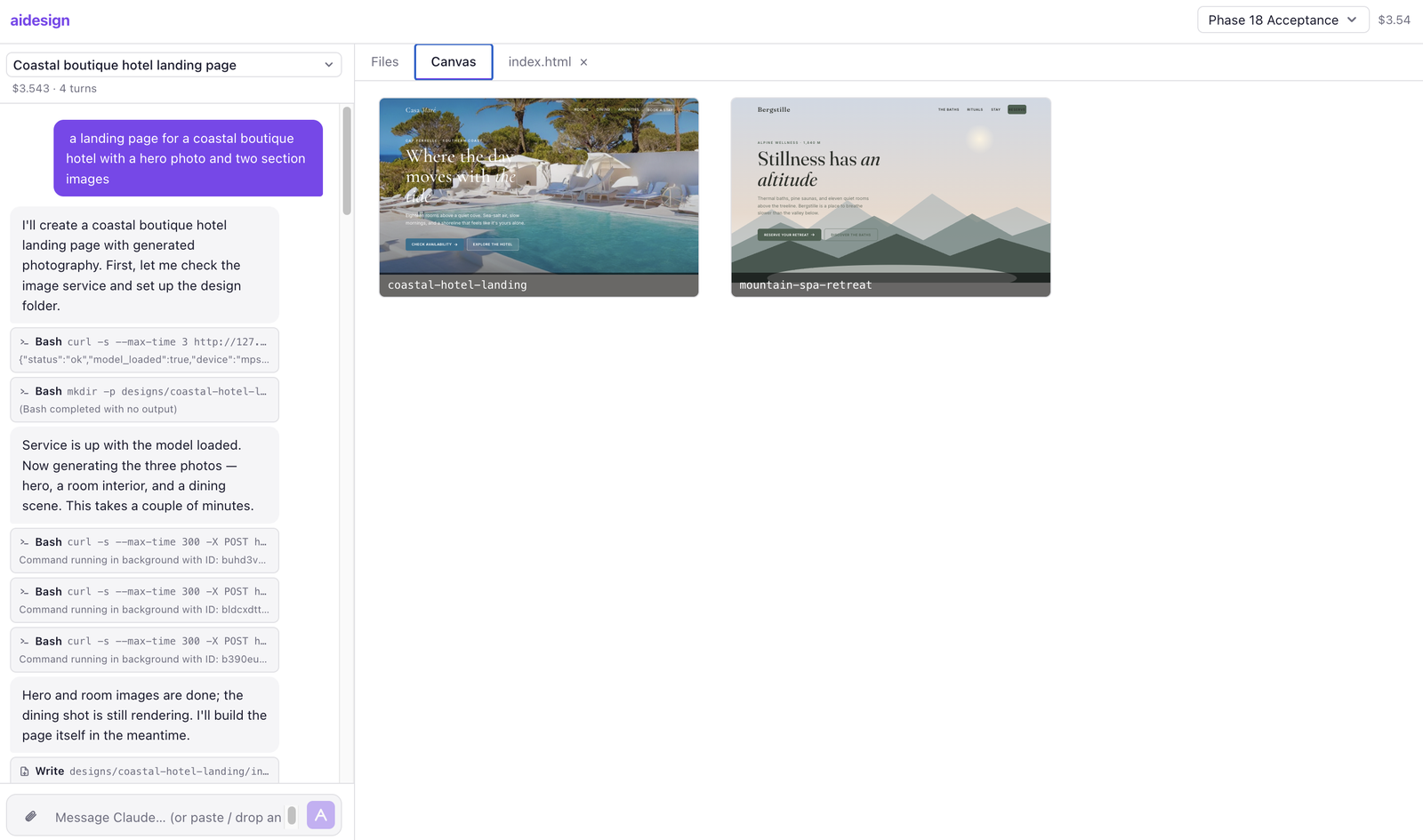
A project is a body of work (say, “ACME redesign”) living at ~/aidesign/projects/<slug>/. Inside it, each design is a self-contained folder under designs/. The app binds to 127.0.0.1 only, with no accounts and no cloud.
The loop
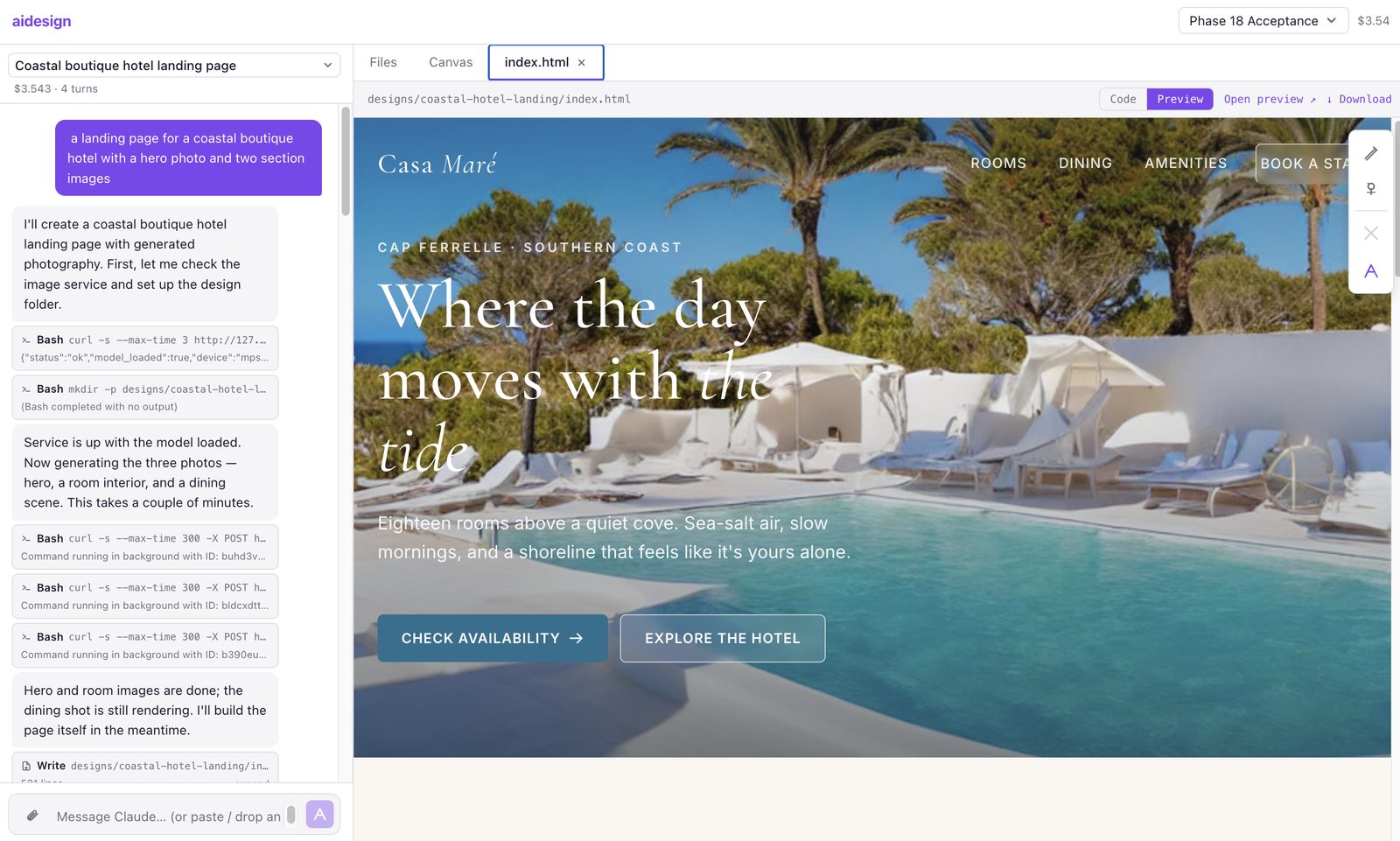
You type a request. Claude, running as the local CLI, writes files into a new design folder while you watch them appear in the file tree. The preview tab reloads on its own. You refine, either by chatting (“make it warmer, more handcrafted”) or by drawing on the preview and dropping the annotated image back into the chat. Claude’s tool calls stream in as compact cards (Edit, Write, Read, Bash, Grep, Glob), with expandable diffs for the edits, and each turn ends with a small footer showing cost, duration, and tool count. If a generation heads the wrong way, the Stop button cancels it mid-flight.
One prompt, three directions
I gave aidesign one brief and let it run: “create 3 websites for a kids playground where people can buy tickets for the playground.” It came back with three designs that share their subject and little else. One leans neon and arcade-loud, one stays calm and premium, one turns the whole thing silly. The previews below are live; click one to open it full-screen.
The features that make it click
- Multi-project, multi-chat. Each project owns several chats with auto-generated titles, full message history, and a running cost in USD per chat plus a project total.
- Streaming chat with real tool cards. Responses stream token by token, and tool calls render as cards with unified diffs you can expand for any Edit.
- Live everything. The file tree, the canvas thumbnails, and every open preview tab refresh the instant Claude touches a file, with no manual reload.
- Drag-drop uploads. Drop a brief or a reference image anywhere in the UI and it lands in the project’s
uploads/(auto-renamed on collision, 50 MB cap). Drop it onto the chat input and your next message references it. - Annotate and ask. Draw on a preview with a marker and chat about that exact spot.
- Sensible mockup conventions. Vanilla CSS with design tokens, light and dark themes in one stylesheet via
[data-theme], system fonts (or Google Fonts when asked), and inline SVG icons. No Tailwind, no build step. - The filesystem is the database. No database at all. Project state is a small
state.json, and chats are append-onlymessages.jsonlfiles. Back up a project by copying the folder, or delete one withrm -rf.
Local and free: images included
A mockup lives or dies on its imagery, so aidesign can generate real images (heroes, section illustrations, textures) on your own machine, with Stable Diffusion 1.5 running natively on Apple Silicon. No cloud, no API key. It’s an opt-in sidecar, because the model holds several gigabytes of RAM while it runs, so plain bin/dev leaves it off. You add --with-images when you want imagery. The design agent handles the service itself: it health-checks, then posts a generation request. You don’t call it directly.
With the image service off, designs still ship complete: Claude falls back to CSS gradients or solid blocks and notes that imagery was skipped. The first generation downloads the model weights once (~4 GB); after that, expect a minute or two per image on an M2.
How it’s built
The backend is Python and FastAPI (managed with uv, validated with Pydantic), bound to 127.0.0.1:4444. The frontend is Svelte and Vite (a single page, no SvelteKit), served in dev by Vite on :4445 and in production straight from FastAPI after a build.
The heart of it is small. For each chat message, the backend spawns the Claude CLI as a subprocess scoped to the open project, roughly claude -p --output-format stream-json --verbose --resume <session-id>, and parses that stream-json into typed events: text tokens, tool-use start, tool-use result, turn end. Those events reach the browser over Server-Sent Events. A separate WebSocket, backed by a filesystem watcher, drives the preview and file-tree reloads. Because Claude runs with its working directory set to the project, it can read anything in that folder (your uploads, sibling designs’ CSS for token consistency) with its ordinary Read, Glob, and Grep tools.
There’s no database, and the whole thing is safe to kill and restart at any point. If the server dies mid-turn, your message is already on disk and comes back with a Retry button. The next startup clears any half-written upload, and a dropped WebSocket reconnects on its own with backoff.
Built with the AGENT.md method
The part I’m most pleased with lives outside the running app: the paper trail. Claude built aidesign incrementally across a long series of documented phases, and I kept that record in the repo. plan.md holds the product vision. decisions.md is the architectural decision log (ADR-001 onward, every choice with its rationale, including honest reversals like dropping Docker in ADR-012b once it clashed with running the host’s Claude CLI). There’s also data_model.md, phase_index.md, and a phases/ folder with a brief and a notes file for every phase. The always-loaded CLAUDE.md carries the accumulated gotchas, the small infrastructure quirks each phase discovered, so later phases don’t rediscover them.
That’s the AGENT.md method: split planning from coding, decide deliberately, and write enough down that I can put the project down for weeks and pick it up with full context. If you want the method itself rather than this project, I wrote it up in The AGENT.md method, and the full file sits on the AGENT.md project page.
Try it
aidesign is open source under the MIT license at github.com/promadesign/aidesign. You’ll need Python 3.12+ and uv, Node 20+, and the Claude CLI installed and authenticated (image generation also wants an Apple-Silicon Mac). Clone it, run ./bin/setup, then ./bin/dev, and open 127.0.0.1:4445. Your own Claude CLI generates the designs on your own account, so aidesign itself stays free, local, and yours to hack on.
I built it for fun, in a few days, to scratch my own itch. If it scratches yours too, that’s the whole point.
Leave a Reply